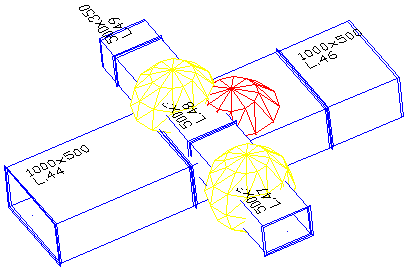
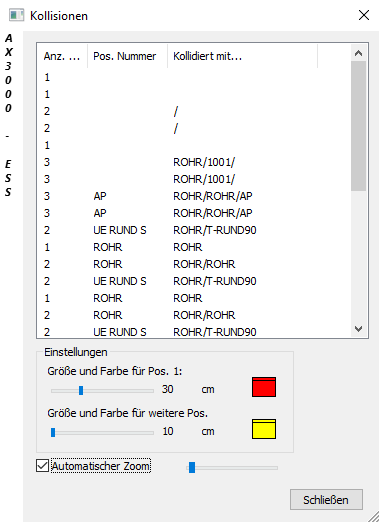
During a collision, the colliding parts are shown in following Dialogue:
Dialogue-Options
Option |
Description |
|
|---|---|---|
Anzeige |
Quantity/Pos. Number/Collided with: Quantity of collisions are shown. The pos.no. of collided parts is/are shown. |
|
Settings
|
Size and color for Pos. 1: Selects marked color and size (slide-control).
Size and color for further Positions: Selects marked color and size (slide-control). |
|
Automatic Zoom
|
With this function the collided parts can zoomed in automatically at big systems. |