Valve and radiator connection type can be selected here.
Access to the command over: |
AutoCAD/BricsCAD |
|
|---|---|
Command line: _VE_AUSWAHL
Assistant: |


After calling up this function, click on a radiator to be changed.
There are two possiblilities for changing:
1. |
When more than one radiator is selected, all radiators are then given the same values (valve, connection,etc.).
|
2. |
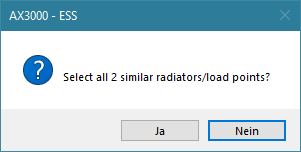
When only one radiator is selected, identical radiators will be searched in the drawing The following window is opened:
- Confirm with YES: all identical radiators in plan are changed. - Confirm with NO: only the manually selected radiators will be changed. |
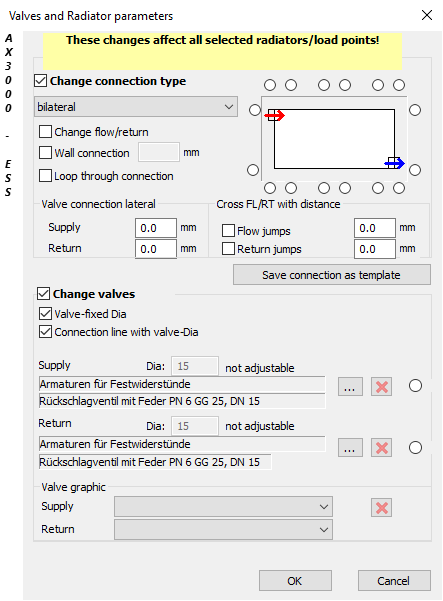
Dialogue-Options
Options |
Description |
|---|---|
Change Connection Type
|
Radiator connection can be defined. The connection is shown in the diagram graphic. These connections can be selected from one of the lists.
This connections are saved in the file %\k_data\heizung\vent.txt Attention: Only certificated CAD administrators are allowed to create or edit these files.
If the connections should be changed or newly selected of an already defined radiator, a graphic preview is shown. |
Cross FL/RT with distance
|
This setting allows the return flow to first pull down during connection, in order to prevent a supply and return flow collision. |
Valve Connection lateral |
Determines the flow and return valve lengths. |
Change Valves
|
The selected valves are shown. These valves can be found in the VDI3805 link ( By activating a valve, the positioning on the radiator can be manually set.
|
 ).
).