Function to place a sparger starting-point for the Easyline-System.
These start points contain all the necessary values for calculating a pipework system.
Access to the command over: |
AutoCAD/BricsCAD |
|
|---|---|
Command line: _SETAP_SPR
Assistant: |


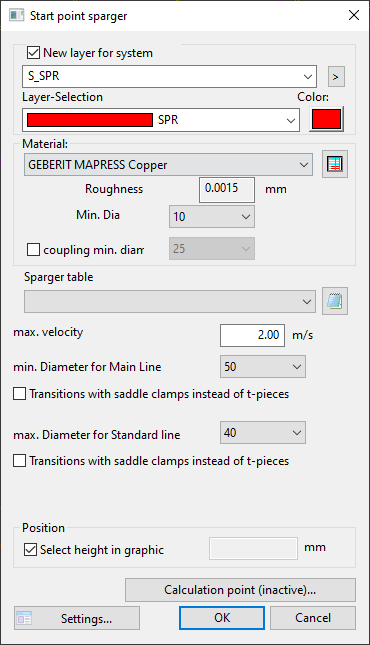
Dialogue-Options
Option |
Description |
|
|---|---|---|
New Layer for system |
At deactivated Checkbox: pipework is set in the active layer.
At activated Checkbox: an new layer can be set for the pipework to be calculated. The layer can be selected and modified from the layer-selection with its description. The color can also be modified.
The settings Trade Definitions are valid. |
|
Material |
The material and the minimum diameter of the generated pipework can be selected. All heating materials stored in the pipe tables can be used. |
|
Sparger table |
Max. Velocity:
min. Diameter for main line:
max. Diameter for standard line:
Transition with saddle clamps instead of t-pieces: |
|
Position |
By activating 'pick height in drawing', the Easyline-Start point is set on picked point. When deactivating this function, a new height can be entered. |

